Every account on one mapВсе аккаунты на одной карте
Claude, Codex and Antigravity, a row per account: the one with room left is seen at a glance.Claude, Codex и Antigravity, строка на аккаунт: где ещё есть запас, видно сразу.
AI usage · Claude, Codex, AntigravityAI-лимиты · Claude, Codex, Antigravity
See your Claude, Codex and Google Antigravity limits in one menu-bar app, as a map: a row per account, a cell per limit, green, amber or red, with what is left or when a spent limit comes back. Tegaro uses the sign-in your CLI or app already has, or one you add in Tegaro, and asks only the provider; credentials are never sent to Tegaro.Смотри лимиты Claude, Codex и Google Antigravity в одном приложении в строке меню — картой: строка на аккаунт, клетка на лимит, зелёная, жёлтая или красная, а в ней — сколько осталось или когда вернётся исчерпанный лимит. Tegaro использует вход, который уже есть у твоего CLI или приложения, или тот, что ты добавишь в Tegaro, и обращается только к провайдеру; учётные данные Tegaro не передаются.
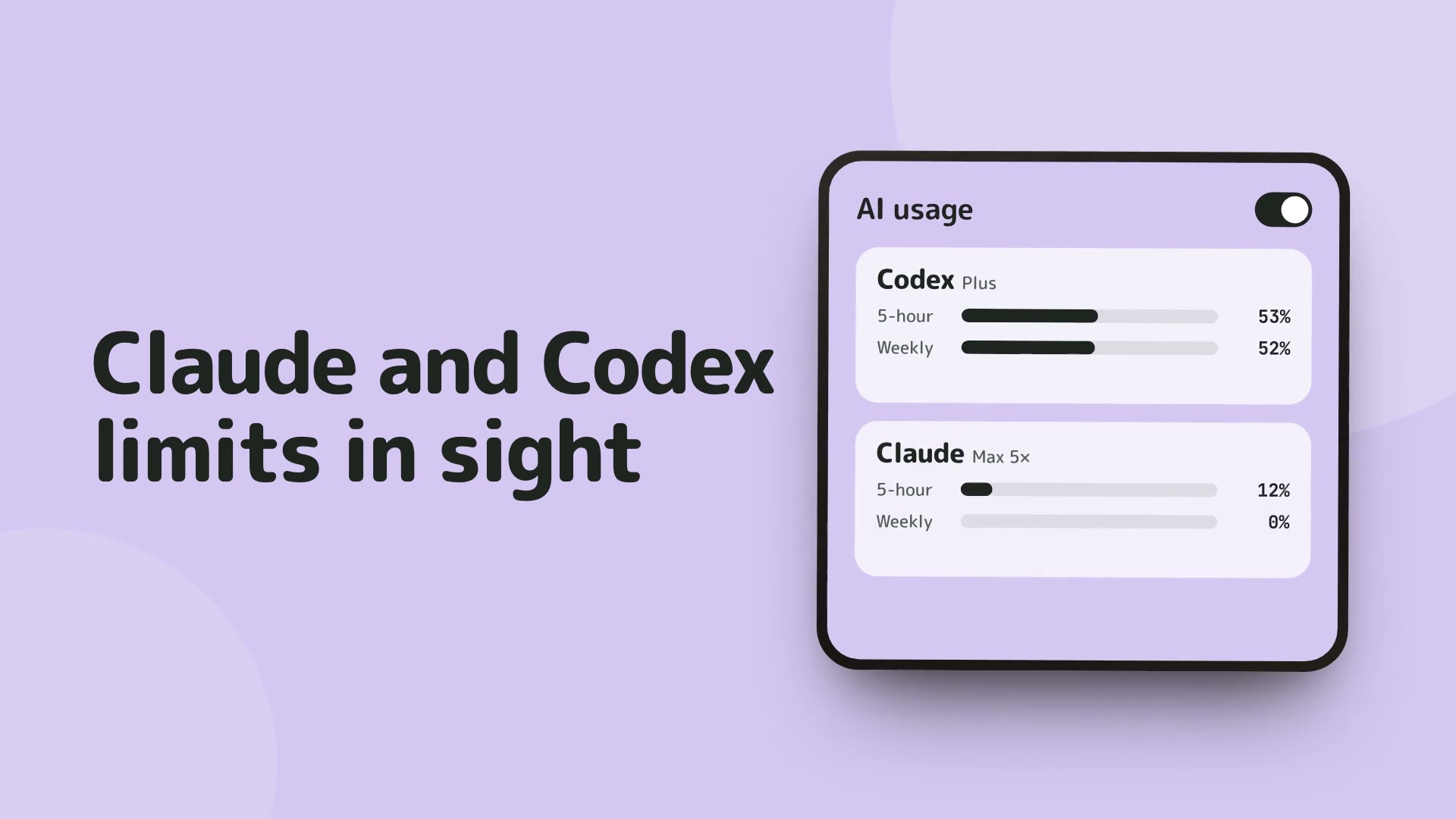
AI Usage stays free after the 14-day trial. You can disable it at any time.AI Usage остаётся бесплатным после 14-дневного пробного периода. Его можно отключить в любой момент.
Claude, Codex and Antigravity, a row per account: the one with room left is seen at a glance.Claude, Codex и Antigravity, строка на аккаунт: где ещё есть запас, видно сразу.
No Tegaro account is needed to read usage.Для просмотра использования не нужен аккаунт Tegaro.
Provider credentials and local logs remain on your Mac.Учётные данные провайдеров и локальные логи остаются на твоём Mac.
On by default, free after the trial, and one switch turns it off.Включено по умолчанию, остаётся бесплатным после пробного периода и выключается одним переключателем.
New in 0.1.68: limits are a map. Each service is a small table, a row per account named by its e-mail and a column per limit: the 5-hour window, the week, Claude’s Fable, Opus or Sonnet, Codex’s Spark, Antigravity’s model pools. A cell is green while there is room, amber from 90 % used and red once spent; it says what is left (“75 %”) or, for a spent limit, when it comes back (“16:31”, “Thu 04:00”). Hover a cell for the long form, such as “Fable · week: 88 % left · resets in 5 d 9 h”. When credits or extra usage cover a spent window, its cell stays amber instead of red. ChatGPT Pro reports only a weekly window, so it shows the week alone.Новое в 0.1.68: лимиты стали картой. У каждого сервиса маленькая таблица: строка на аккаунт, подписанная его почтой, и столбец на лимит — окно на 5 часов, неделя, Fable, Opus или Sonnet у Claude, Spark у Codex, пулы моделей Antigravity. Клетка зелёная, пока есть запас, жёлтая с 90 % расхода и красная, когда лимит исчерпан; в ней написано, сколько осталось («75 %»), а у исчерпанного — когда он вернётся («16:31», «чт 04:00»). При наведении видна полная строка вроде «Fable · неделя: осталось 88 % · сброс через 5 д 9 ч». Если исчерпанное окно покрывают кредиты или дополнительное использование, его клетка остаётся жёлтой, а не красной. У ChatGPT Pro есть только недельное окно, и показывается только неделя.
Tegaro reads the Codex sign-in in ~/.codex and Claude Code’s in ~/.claude or its Keychain item, and the sessions in those folders for usage by project, tokens and cost at public API prices. You can also sign in to Claude or Codex inside Tegaro, for as many accounts as you want, in your default browser. The AI screen groups accounts by service, each with its own “Add”, and marks the one read from this Mac (“from Claude Code”).Tegaro читает вход Codex из ~/.codex и вход Claude Code из ~/.claude или из его записи в связке ключей, а также сессии в этих папках — для расхода по проектам, токенов и стоимости по публичным ценам API. Можно ещё войти в Claude или Codex прямо в Tegaro, на любое число аккаунтов, через браузер по умолчанию. Страница «Нейросети» группирует аккаунты по сервисам, у каждого своя кнопка «Добавить», а аккаунт, прочитанный с этого Mac, помечен («из Claude Code»).
Limits are requested from chatgpt.com (Codex) and api.anthropic.com (Claude) with your own token. A sign-in made inside Tegaro also talks to auth.openai.com and api.anthropic.com for the token and profile. Antigravity accounts added with Google ask oauth2.googleapis.com and daily-cloudcode-pa.googleapis.com. Nothing goes to Tegaro’s servers. Tegaro never refreshes a CLI’s token, since that would sign the CLI out; an expired one shows “Session expired — run claude once” (or codex) instead.Лимиты запрашиваются у chatgpt.com (Codex) и api.anthropic.com (Claude) с твоим токеном. Вход, сделанный в Tegaro, дополнительно обращается к auth.openai.com и api.anthropic.com за токеном и профилем. Аккаунты Antigravity, добавленные через Google, обращаются к oauth2.googleapis.com и daily-cloudcode-pa.googleapis.com. На серверы Tegaro ничего не уходит. Токен CLI Tegaro никогда не обновляет — это разлогинило бы CLI; вместо этого просроченный вход показывается как «Сессия истекла — запустите claude один раз» (или codex).
When only the Claude desktop app is used, Tegaro reads its own usage history file on this Mac, with no network. It shows the account Claude Code is signed in to, marked “Desktop · as of 15:20”. The weekly window has no reset time in that file, and a 5-hour reset Tegaro could only estimate reads “≈”.Если используется только приложение Claude Desktop, Tegaro читает его собственный файл истории использования на этом Mac, без сети. Показывается аккаунт, в который вошёл Claude Code, с пометкой «Desktop · на 15:20». В этом файле нет времени сброса недельного окна, а сброс на 5 часов, который Tegaro смог лишь оценить, помечается «≈».
While Antigravity runs, Tegaro asks the app itself, over a local connection on this Mac, for the signed-in account’s quota: a pool per Gemini model and one for Claude and GPT-OSS, each with when it comes back. It does not read your Google credentials. Once the app is closed, the last reading stays, marked with its time. “Add Antigravity account” signs in more Google accounts in your browser, and they are read even while the app is closed; this needs Antigravity installed.Пока Antigravity запущен, Tegaro спрашивает квоту вошедшего аккаунта у самого приложения, по локальному соединению на этом Mac: пул на каждую модель Gemini и один на Claude и GPT-OSS, у каждого — когда вернётся. Учётные данные Google Tegaro не читает. Когда приложение закрыто, остаётся последнее показание с его временем. «Добавить аккаунт Antigravity» входит в другие аккаунты Google через браузер, и они читаются, даже когда приложение закрыто; для этого Antigravity должен быть установлен.
A quiet notice appears in Notification Center when a Codex or Claude window passes 80 %, once per window, and again when it resets. There is no permission prompt; the switch is AI usage → Notifications → Limit alerts.Тихое уведомление в Центре уведомлений приходит, когда окно Codex или Claude переходит порог 80 % — один раз на окно — и когда оно сбрасывается. Разрешение не запрашивается; переключатель «Уведомления о лимитах» — на странице «Нейросети».
New in 0.1.31. A notice such as “Claude finished in tegaro · 4 min” appears when a Claude Code or Codex task that ran at least a minute ends. The minimum can be 30 seconds, 1, 2 or 5 minutes. For Claude Code and Codex Desktop there is no notice while that app is in front running only that session; clicking a notice brings the app forward. It is read from the tools’ session files on this Mac, and nothing is sent.Новое в 0.1.31. Уведомление вроде «Claude закончил задачу в tegaro · 4 мин» приходит, когда задача Claude Code или Codex, шедшая не меньше минуты, завершилась. Минимум можно выбрать: 30 секунд, 1, 2 или 5 минут. Для Claude Code и Codex Desktop уведомления нет, пока это приложение на переднем плане и в нём идёт только эта сессия; щелчок по уведомлению выводит приложение вперёд. Данные читаются из файлов сессий этих инструментов на твоём Mac, и ничего не отправляется.
Limits refresh about every 5 minutes and never faster than once a minute. The first read of the session logs starts 15 seconds after launch and repeats every 30 minutes.Лимиты обновляются примерно раз в 5 минут и не чаще раза в минуту. Первое чтение логов сессий начинается через 15 секунд после запуска и повторяется каждые 30 минут.
New in 0.1.32, at the bottom of the AI usage page. It works whether or not usage tracking is on, and it is part of the build from this site, not of the Mac App Store version.Новое в 0.1.32, внизу страницы «Нейросети». Работает независимо от того, включён ли учёт лимитов, и есть в сборке с сайта, но не в версии из Mac App Store.
“Busy ports” lists the local TCP ports your own programs listen on, such as the dev servers Claude Code or Codex left behind. Each row shows the program, the app it was started from (Cursor, Terminal…), how long ago it started and its folder, and marks a port that is open to your whole network. A switch limits the list to ports 1024–65535 and hides the system’s own services; it is on by default. Programs of other users are not visible.«Занятые порты» перечисляют локальные TCP-порты, которые слушают твои программы, например серверы разработки, оставленные Claude Code или Codex. В строке видны программа, приложение, из которого её запустили (Cursor, Terminal…), как давно она запущена и её папка, а порт, открытый для всей сети, помечен. Переключатель оставляет порты 1024–65535 и прячет системные службы; по умолчанию он включён. Программы других пользователей не видны.
“Stop” asks for confirmation, then asks the program to quit; the dialog says all its ports close and anything it has not saved may be lost. If it is still there after three seconds, “Force stop” appears; it asks again and ends the program at once. A program set up as a service may start again by itself.«Остановить» просит подтверждение, а затем просит программу завершиться; в окне сказано, что все её порты закроются, а несохранённое может пропасть. Если через три секунды она всё ещё на месте, появляется «Остановить принудительно»: оно спросит ещё раз и завершит программу сразу. Программа, настроенная как служба, может запуститься снова сама.
Apps, menu-bar apps and their helpers, system services and Tegaro itself have no Stop button; a row such as Docker’s says to quit the app instead. A server that Cursor or Terminal merely started does have one.У приложений, приложений в строке меню и их помощников, системных служб и самого Tegaro кнопки «Остановить» нет; в строке Docker, например, будет совет закрыть само приложение. А у сервера, который просто запущен из Cursor или Terminal, кнопка есть.
The list refreshes every few seconds only while the section is open, is read from this Mac, and nothing leaves it.Список обновляется раз в несколько секунд, только пока раздел открыт, читается на этом Mac, и ничего не уходит наружу.
A card “Stay awake while agents work” turns on the keep-awake rule for AI agents (off by default) and says whether a Claude Code or Codex task is working right now. The rule is described on the Power page.Карточка «Не спать, пока работает агент» включает правило режима без сна для ИИ-агентов (по умолчанию выключено) и говорит, идёт ли сейчас задача Claude Code или Codex. Правило описано на странице «Питание».
No. Tegaro uses the token your CLI already stores, or a sign-in you complete in your browser. It sends that token only to Anthropic, OpenAI or Google, never to Tegaro.Нет. Tegaro использует токен, который уже хранит твой CLI, или вход, который ты проходишь в браузере. Этот токен уходит только Anthropic, OpenAI или Google, но не Tegaro.
Yes. It is on by default, and one switch on the AI usage page turns it off, along with its notifications. It stays free after the 14-day trial.Да. По умолчанию он включён, а один переключатель на странице «Нейросети» выключает его вместе с уведомлениями. После 14-дневного пробного периода он остаётся бесплатным.
The live request failed or was not possible, so Tegaro shows the last good answer or what it could read from the Codex log, the Claude desktop app or a closed Antigravity, with its time. Its name on the map turns grey.Живой запрос не удался или был невозможен, поэтому Tegaro показывает последний удачный ответ или то, что удалось прочитать из лога Codex, приложения Claude Desktop или закрытого Antigravity, с указанием времени. Имя аккаунта на карте становится серым.
Claude, Codex and Google Antigravity. It shows whatever windows your plan reports: 5-hour and weekly windows, model-specific limits such as Fable or Spark, Antigravity’s model pools, credits and extra usage. A plan without a 5-hour window shows the weekly one only.Claude, Codex и Google Antigravity. Показываются те окна, о которых сообщает твой тариф: на 5 часов и на неделю, лимиты по моделям вроде Fable или Spark, пулы моделей Antigravity, кредиты и дополнительное использование. Если у тарифа нет окна на 5 часов, видна только неделя.
Yes, since 0.1.32. “Busy ports” at the bottom of this page shows which of your programs hold a local port and offers Stop. It asks first, then asks the program to quit, and offers Force stop only if it is still there after three seconds. Apps and system services have no Stop.Да, с 0.1.32. «Занятые порты» внизу этой страницы показывают, какие твои программы держат локальный порт, и дают «Остановить». Tegaro сначала спрашивает, потом просит программу завершиться, а «Остановить принудительно» предлагает, только если через три секунды она всё ещё на месте. У приложений и системных служб кнопки нет.
See the comparisons: CodexBar, ccusage and Claude usage. Tegaro keeps to the limits, a few insights and notices, and sits in the same icon as eleven other tools.Смотри сравнения: CodexBar, ccusage и лимиты Claude. Tegaro сосредоточен на лимитах, нескольких подсказках и уведомлениях и живёт в одной иконке с одиннадцатью другими инструментами.
Your 14-day full trial needs no Tegaro account or card. AI Usage stays free afterwards. Tegaro is a native Swift app; provider credentials and local logs remain on your Mac. AI Usage asks Claude, Codex or Antigravity for your limits, using the sign-in your CLI or app already has or one you add in Tegaro. A $100 Lifetime licence covers one person and two Macs.Полный 14-дневный пробный период не требует аккаунта Tegaro или карты. AI Usage остаётся бесплатным и после него. Tegaro — нативное приложение на Swift; учётные данные провайдеров и локальные журналы остаются на твоём Mac. AI Usage спрашивает у Claude, Codex или Antigravity твои лимиты, используя вход твоего CLI или приложения или тот, что ты добавил в Tegaro. Лицензия Lifetime за $100 покрывает одного человека и два Mac.
Step-by-step answers for this Tegaro feature.Пошаговые ответы по этой функции Tegaro.