Disk · 5 min read
Tegaro vs OmniDiskSweeper: Mac Disk Space Compared
OmniDiskSweeper is better for walking your drive file by file and trashing whatever you pick. Tegaro is better if you want the space split into groups, safe one-button cleanup of caches and build files, and other Mac tools in one app.
Both show the files and folders on your Mac from largest to smallest. OmniDiskSweeper lets you trash or open any of them; Tegaro's Disk groups the space and cleans from fixed, safe lists.
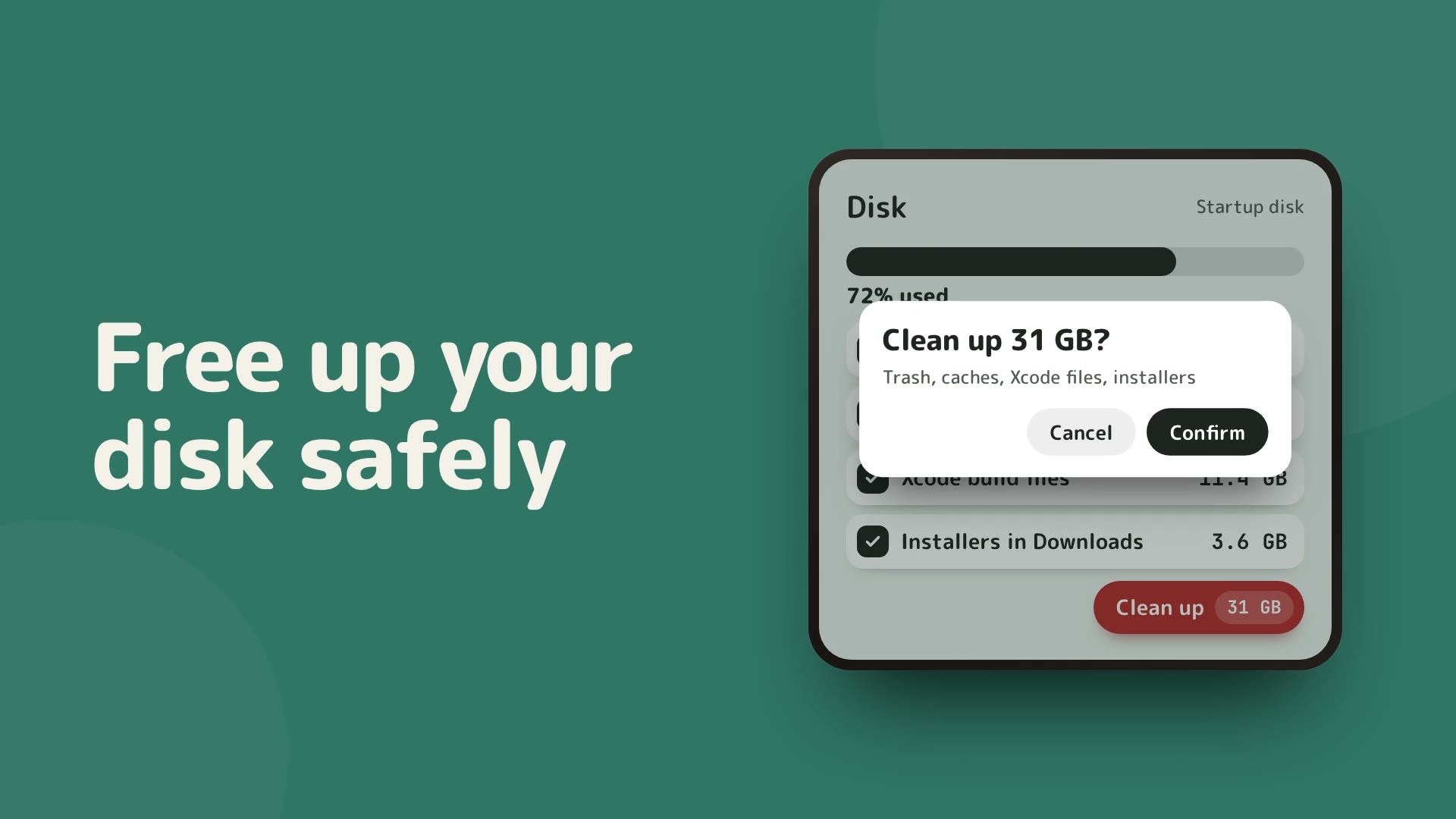
OmniDiskSweeper and Tegaro both answer «what is filling my Mac?», in different ways. OmniDiskSweeper, from The Omni Group's Omni Labs, shows the files on your drive from largest to smallest and lets you trash or open any of them; its page lists no price. Tegaro's Disk tool measures your home folder and apps when you press Analyze disk and splits the space into apps, documents, downloads, media, developer files, AI tools, caches and the Trash. Every folder opens biggest first, with Show in Finder on each entry and a list of the largest single files. Analysis stays free after the 14-day trial. Cleanup works from fixed lists, such as the Trash, caches, old crash reports, Xcode files and old installers, and asks once before anything goes; that part needs Pro ($100 once). Tegaro does not delete any file you point at from the list: for that, OmniDiskSweeper is the more direct tool.
Space split into groups
Apps, documents, downloads, media, developer files, AI tools, caches and the Trash, each opening biggest first.
Free after the trial
Disk analysis has no license and no time limit; only cleanup and app removal need Pro.
Cleanup that asks first
One confirmation lists every row with its size and says what goes to the Trash and what is deleted for good.
At a glance
| Capability | OmniDiskSweeper | Tegaro |
|---|---|---|
| Largest files and folders first Both sort by size | Yes: the files on your drive, largest to smallest | Yes: every group and folder opens biggest first, with a bar for its share, plus a list of the largest single files |
| Grouped view | Not described on its page | Apps, documents, downloads, media, developer files, AI tools, caches, the Trash and more |
| Trash any file from the list OmniDiskSweeper is more direct here | Yes: trash or open what it lists | No: each entry has Show in Finder; cleanup works from fixed lists |
| Safe cleanup Passwords, keychains, browser profiles and app data are never offered | Not described on its page | The Trash, caches, old crash reports, Xcode files, developer caches, old installers and project build folders, after one confirmation (Pro) |
| Remove an app with its leftovers | Not described on its page | Yes: «Remove an app» moves the app and the leftovers you tick to the Trash (Pro) |
| Free space in the menu bar | Not described on its page | Yes: a Disk meter on the Mac load tile, and a card when the startup disk runs low |
| Other Mac tools | None | Twelve tools in one menu-bar icon |
| Pricing Checked on 2026-11-17 | Download from The Omni Group's Omni Labs page; no price is listed there | Analysis free after the 14-day trial; cleanup in Pro: $100 lifetime, one payment |
When to Choose OmniDiskSweeper
People who want to walk the whole drive file by file, largest first, and trash or open whatever they choose.
When to Choose Tegaro
People on macOS 13 or newer who want to see their space split into groups, free after the trial, and clean caches, build files and installers safely with one confirmation, beside other Mac tools.
Tegaro tools, one icon
Typing · Clipboard · Screenshots · Video · Meetings · Dictation · Displays · Power · Disk · Sound · AI Usage · Critter
Current Tegaro access
Try every Pro tool for 14 days without a card or account. Afterward, Free keeps Classic, Cat and Dog, Power, Sound, AI Usage, normal Displays and Disk analysis; it includes 100 successful automatic layout fixes per calendar month and 2,000 delivered dictation words per Monday-starting week. Pro unlocks Clipboard, Screenshots, Video, Meetings, Disk cleanup and app removal, unlimited layout automation and dictation, more critters and compatible EDR brightness. A $100 lifetime license covers one person on up to two Macs.
Pricing and terms: OmniDiskSweeper
Download from The Omni Group's Omni Labs page; no price is listed there
OmniDiskSweeper: download from The Omni Group's Omni Labs page, no price listed. Checked 2026-11-17. Tegaro: Disk analysis is free after the 14-day trial; cleanup and app removal need Pro, $100 lifetime, one payment, for one license on up to two Macs.
Offers: OmniDiskSweeper
No promotion is asserted here.
Tegaro trial offer
Eligible trial users may receive a one-time 30% lifetime offer valid for 48 hours. It is optional, not a promised public price.
Privacy and footprint
Tegaro's Disk measures and cleans on your Mac and makes no network calls. The scan skips folders macOS protects, so no permission dialogs pop up, and marks them «not measured»; turn on Full Disk Access, or let it measure Desktop, Documents and Downloads, to see everything. Cleanup works only inside your home folder, except the Trash, which Finder empties on every drive.
Native macOS app built with Swift.
Core typing, copied-content and downloaded-model dictation workflows stay local. Licensing, optional renewal lookups, model downloads, opted-in diagnostics and direct AI-provider checks are separate network actions. AI Usage uses existing provider sign-in and does not send provider credentials to Tegaro.
How to Switch from OmniDiskSweeper to Tegaro
- In Tegaro open Settings → Disk and press Analyze disk; it runs in the background with progress and Cancel.
- Open the biggest group, then the biggest folder, and use Show in Finder on anything you want to remove by hand.
- Use cleanup for the Trash, caches and build files; the confirmation lists every row before anything goes.
- Keep OmniDiskSweeper if you want to trash arbitrary files straight from a size-sorted list.
Frequently asked questions
Is Tegaro an OmniDiskSweeper alternative?
For finding what fills your disk, yes: it lists folders and files biggest first and is free after the trial. It does not trash any file you pick from the list; it shows it in Finder, and cleans only from fixed, safe lists.
Is OmniDiskSweeper free?
The Omni Group offers it as a download on its Omni Labs page, with no price or purchase option shown. Checked on 2026-11-17.
Does Tegaro need Full Disk Access?
No. Without it the scan skips folders macOS protects and marks them «not measured». Turn it on, or let Tegaro measure Desktop, Documents and Downloads, for the full picture.
Can Tegaro delete my documents?
Cleanup never offers documents, photos, passwords, keychains, browser profiles or app data. The only exception is «Remove an app», which moves the app you choose and the leftovers you tick to the Trash.
Sources and disclosure
Published by Tegaro. App information is checked against the linked official pages on the date shown. Checked: .